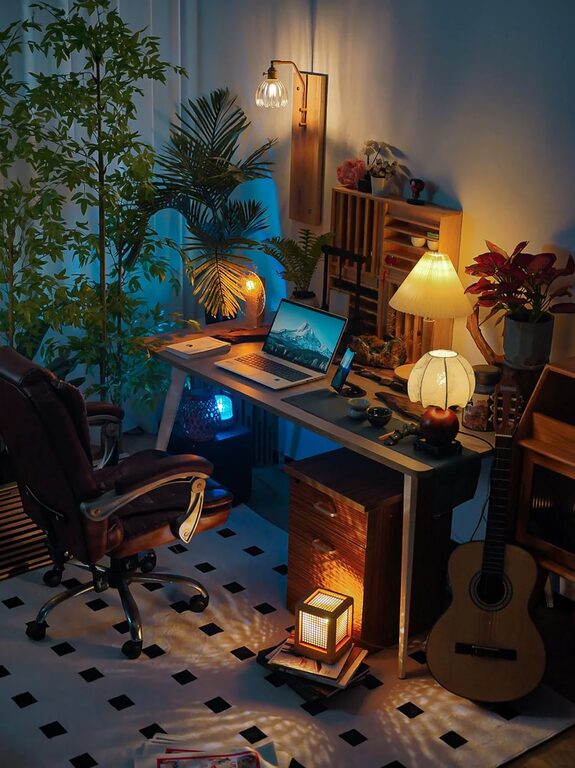
Creating an organized home workspace is key to staying productive and focused throughout the day. Whether you work remotely full-time or occasionally need a dedicated spot to handle tasks, a clean, well-arranged area can make all the difference. In this post, we’ll explore simple yet effective tips to help you organize your home workspace and boost your productivity.
Why Organizing Your Workspace Matters
A cluttered desk or chaotic workspace can lead to distractions, stress, and decreased efficiency. When everything has a place and your tools are within reach, you’re less likely to waste time searching for materials or feeling overwhelmed. Organized spaces encourage clear thinking and help maintain motivation.
Step 1: Choose the Right Location
Finding the ideal spot for your home workspace is the first step. Here are some factors to consider:
– Natural light: Position your desk near a window if possible to improve mood and reduce eye strain.
– Quiet atmosphere: Select an area away from noise and high-traffic zones.
– Room for essentials: Ensure there’s enough space for your desk, chair, and any storage you need.
– Minimal distractions: Keep your workspace separate from entertainment devices or other distractions.
Step 2: Declutter Your Desk
A clear surface is crucial for productivity. Follow these tips:
– Remove everything: Start by clearing your desk completely.
– Sort items: Divide your belongings into categories—keep, store, discard.
– Limit essentials: Only keep items you use daily on your desk, such as your computer, notebook, and writing tools.
– Use storage: Place less frequently used items in drawers or organizers to keep your surface tidy.
Step 3: Use Smart Storage Solutions
Keeping your workspace organized means having designated spots for everything. Consider:
– Desk organizers: Small trays or containers for pens, paper clips, and sticky notes.
– Shelves: Install shelves nearby to hold books, documents, or supplies.
– Drawers and filing cabinets: Use labeled containers to store paperwork and avoid piles.
– Cable management: Use clips or cable sleeves to keep cords untangled and out of the way.
Step 4: Prioritize Ergonomics
Comfort plays a big role in productivity. Make sure your workspace is ergonomic:
– Chair: Use a supportive chair that promotes good posture.
– Desk height: Your desk should be at a comfortable height, allowing your arms to rest naturally.
– Monitor position: Place your monitor at eye level to reduce neck strain.
– Lighting: Combine natural and task lighting to prevent eye fatigue.
Step 5: Establish a Routine for Maintenance
Keeping your workspace organized takes ongoing effort. Try these habits:
– End-of-day tidy: Spend 5 minutes at the end of each day putting items back in place.
– Weekly review: Dedicate time weekly to declutter and reorganize as needed.
– Limit distractions: Keep personal items or unrelated tasks out of sight while working.
Step 6: Personalize Without Overcrowding
Adding personal touches can inspire creativity and comfort but don’t clutter your area:
– Decorate sparingly: Choose a few meaningful items like photos, plants, or artwork.
– Use calming colors: Soft, neutral tones can promote focus and reduce stress.
– Keep it simple: Avoid too many decorations that can become distractions.
Bonus Tip: Use Digital Tools to Reduce Paper Clutter
Digital organization can complement your physical setup:
– Go paperless: Scan important documents and keep them organized in folders on your computer.
– Task management apps: Use apps to track projects and deadlines instead of sticky notes.
– Cloud storage: Access your files anywhere and minimize physical paperwork.
Conclusion
Organizing your home workspace doesn’t have to be complicated. By choosing the right location, decluttering regularly, incorporating smart storage, and creating an ergonomic setup, you set yourself up for success. Maintaining these habits over time will help you stay focused, reduce stress, and ultimately boost your productivity. Start with small changes today, and enjoy the benefits of a workspace that works for you.